




















For Senior Accountants and Accountants

Reconcile it. Prove it. Close it.

Replaces the inboxes, shared drives, and personal workbooks that make every reconciliation start from zero.

Most Accountants are not fighting one big problem, they are fighting a hundred small ones.

Scattered data, rebuilt reconciliations, returned packs, and on-demand audit backup are small alone, but together they set the pace of the close.

Prophix Decision Making Colour

Working blind until something breaks

Data scattered across inboxes and folders, math done in fragile formulas.

Prophix Manufacturing Colour

Reconciliations rebuilt from scratch

Rebuilt in Excel every period, usually under end-of-close pressure.

Prophix Error Colour

Entity packs get pushed back

Little validation before submission, errors caught upstream instead.

Prophix Shared Data Model Icon Colour

Audit is the same scramble every year

Rebuilding schedules from inboxes and shared drives on demand.

Trusted by accounting teams running multi-entity close and consolidation.

Kajima Building & Design Group Logo Jamul company logo URSCHEL logo Logo eiffage Auchan 2018 Numeris LOGO RGB Apr2026 Umicore logo svg Duvel company logo White BG

Your close and consolidation cycle

1

Reconcile accounts

Bank, AR, AP, inventory, and tax reconciliations, using standard templates and roll-forwards.

2

 Resolve exceptions

Flag reconciliation differences, unmatched transactions, and unusual balances, with drill-down to supporting detail.

3

Prepare close entries

Prepare recurring and adjusting entries, with standardized calculations and supporting documentation.

4

Complete close tasks

Work through assigned close tasks across entities, with reminders, dependencies, and clear due dates.

5

Validate Consolidation

Review consolidated results and trace every reported number back to its source, down to the underlying transaction.

6 1

Support the audit

Manage close documentation, reconciliation support, and audit trails, with auditor-level read-only access.

Close the books with confidence, not workarounds.

Prophix Account reconciliation Icon Colour

Reconcile without rebuilding the template

Automated reconciliations, standard templates, and roll-forwards.

Prophix Data Colour

Trace any number back to its source

Drillable close and consolidated reports, down to entity balances.

Prophix Planning Colour

See your own status and priorities 

Status dashboards and close analytics by entity, task, and account.

Prophix Audit Logging Icon Colour

Walk into audit with schedules already tied out

Evidence management, audit trails, and auditor read-only access.

Related Resources

Eagle River Water & Sanitation District

Eagle River Water & Sanitation District

See how David Norris, Director of Business Operations at Eagle River Water & Sanitation District, replaced antiquated Excel budgeting with Prophix One — using the Prophix One Agents from day one for budgeting and reporting.

View Customer Testimonial
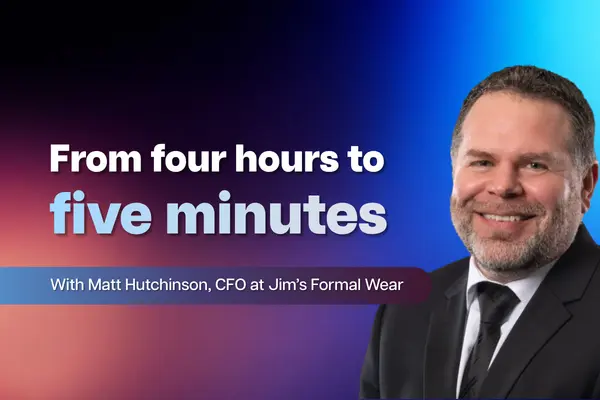

How Jim's Formal Wear Automated Monthly Board Deck Reporting with Prophix MCP

How Jim's Formal Wear Automated Monthly Board Deck Reporting with Prophix MCP

See how Matt Hutchinson, CFO at Jim's Formal Wear, went from hardly touching AI to using Prophix and Claude every day. Watch the demo as he connects Claude to Prophix through the MCP connector and automates the entire monthly board deck.

View Customer Testimonial
How Allstar Holdings Built One Source of Truth Across 20+ Brands with Prophix One

How Allstar Holdings Built One Source of Truth Across 20+ Brands with Prophix One

See how Brian Lewis, FP&A Manager at Allstar Holdings, a private equity-backed company with 20-plus brands on different ERPs, moved from having no consolidation solution to real-time reporting in Prophix One — and is now rolling out Prophix Copilot to its brands.

View Customer Testimonial
Beyond Compliance: Automating Pillar Two Reporting with Prophix and Taxvibes

Beyond Compliance: Automating Pillar Two Reporting with Prophix and Taxvibes

The introduction of the OECD Pillar Two rules has fundamentally changed the tax reporting landscape. Finance and tax teams are now expected to deliver complex calculations, provide supporting documentation, and file the Global Information Return (GIR), under increasingly demanding deadlines.

View On-Demand Webinar

Frequently Asked Questions

Does this replace our ERP? 

No, Prophix connects to the ERPs you already run and adds the close, reconciliation, and consolidation layer on top. 

Yes, every number traces back to source, with a full audit trail and direct, read-only auditor access. 

Yes, the Reconciliation Agent matches and flags, a person still approves. 

Matching and monitoring run under role-based guardrails, with every action logged and explainable. 

Spend less time chasing, more time closing.