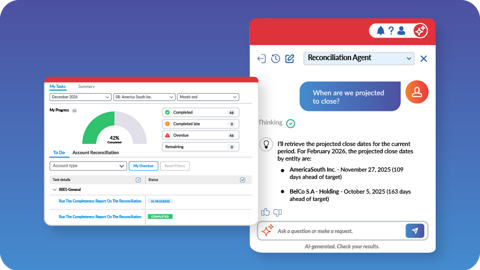
FALL 2026 LAUNCH

Autonomous Finance: From Vision to Reality

Watch the Launch Event

Prophix One is building momentum with new updates that expand platform reach, connectivity, and autonomy.

Watch the Fall 2026 launch event to:

  • See how finance leaders are using Prophix One's recently launched capabilities to increase team capacity, sharpen decision clarity and confidently delegate work to audit ready agents.
  • Hear Prophix executives share their vision for the future of Autonomous Finance.
  • Gain an independent view on where the CPM market is headed with insights from Craig Schiff of BPM Partners.
AUTONOMOUS FINANCE WAVE 3 NOW LIVE

From Planning to Close Without the Chore Work

Four new Prophix One capabilities that run recurring planning cycles, deliver daily cash visibility from your banks, and puts AI where you work.

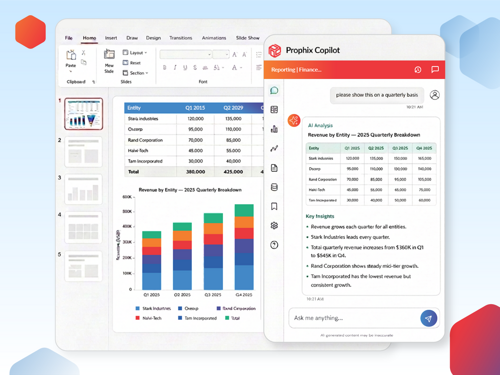
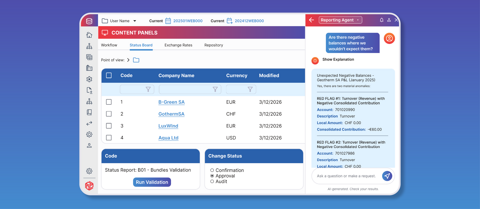
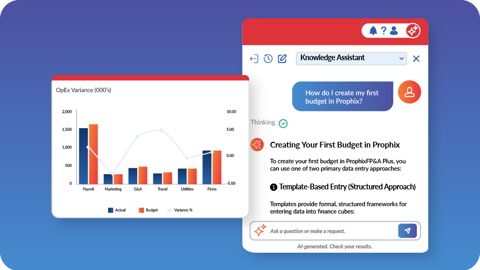
Prophix Copilot for Microsoft Office

Turn FP&A and close questions into action without leaving Office.

  • Create charts, tables, and insights from trusted Prophix data in Office, by asking.  
  • Let budget owners pull data finance once had to send them.  
  • Put a financial analyst beside every decision-maker in their flow. 
Take the tour

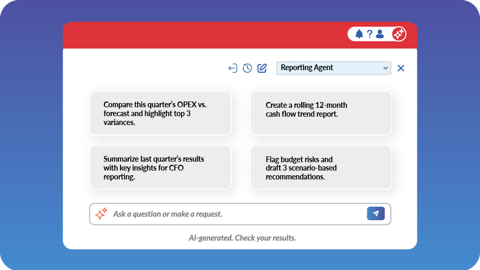
Prophix One MCP Server

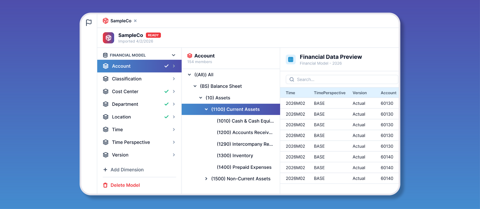
Connect live, governed Prophix data to any AI tool.

  • Use LLMs for financial analysis with live Prophix data and deterministic calculations.  
  • Feed business stakeholder workflows and dashboards without manual refreshing.
  • Automate visual and board report creation to minutes without opening Prophix.
Take the tour

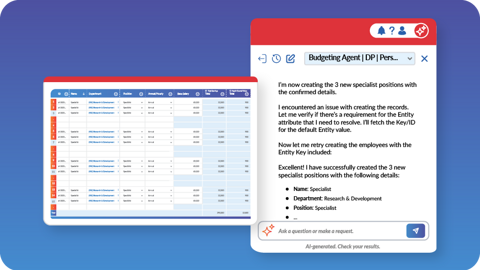
Prophix One Autonomous Planning Agent 

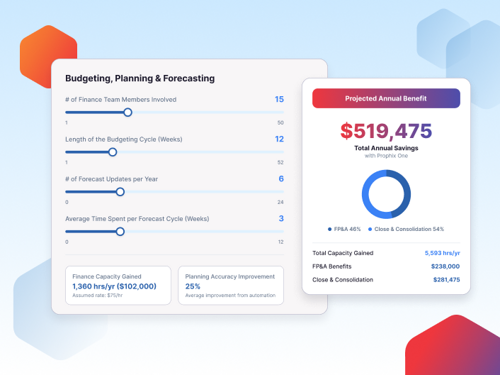
Build recurring planning processes that run themselves.

  • Run monthly rollovers, budget and forecasting kickoffs with a prompt.  
  • Ensure every cycle follows a predictable flow, with built-in checkpoints.  
  • Orchestrate submissions and approvals without manual follow-up. 
Take the tour

Prophix One Cash Management Bank Integrations 

Convert cash uncertainty into daily visibility.

  • Get a daily cash view connected to your banks.  
  • Automatically classify payments and payables against your trading partners.  
  • Flag unmatched transactions for review and follow-up. 
Take the tour

Hear What Customers are Saying

Jims formal wear logo padded

"We turned on the Prophix MCP server and the impact was immediate. I built out a board deck automation where the data pulls directly from Prophix into PowerPoint, something that used to take hours now takes minutes. The MCP is going to be a game-changer for us."

Matt Hutchinson
Chief Financial Officer

Yamamoto logo padded

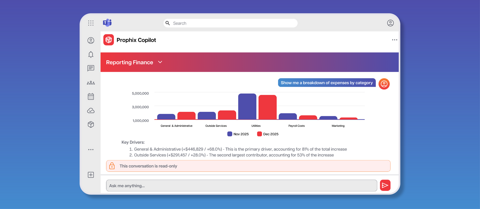
"Prophix’s AI is easy to go in and ask things like, 'Why are expenses higher this month vs previous for this category?' It pulls the information and gives the answer. When you've got budget detail by vendor and product line, you've got everything you need to walk into critical meetings prepared."

James Ward
Chief Financial Officer

Kbl logo large 1

"I've seen a lot of improvement in Prophix Copilot since its first launch. It's become more intuitive and practical in the guidance it provides. I use the reporting agents almost every day. It acts like an always-available Prophix expert." 

Mandy Huynh
Business Intelligence Analyst

Built on a Foundation That Keeps Compounding

Prophix One is connected, governed, audit-ready from day one, and constantly improving. See what else we’ve built.

Frequently Asked Questions

How do I access Prophix Copilot for Microsoft Office?

Any Prophix One user with the right access can use Copilot directly in Microsoft Office 365 applications: Teams, PowerPoint, Excel, Word, and Outlook. Add it from the Apps menu, log in with your Prophix credentials, and select the agent that matches your licensed solution.

Prophix One Copilot for Microsoft Office 365 is like having access to a financial analyst that works with governed data from your Prophix models and completes reporting tasks in Microsoft Office applications. The difference between a general Copilot and Prophix copilot is what's behind the answer. Ask Microsoft Copilot about Q3 actuals vs. plan and it searches your emails, documents, and meetings for context. Ask Prophix One Copilot the same question and it queries your live Prophix cube directly. 

The MCP connects to Prophix through your AI tools of choice, using Prophix's highest level of security. But once a query runs in Prophix MCP, the results are sent to an external LLM, and your data becomes subject to that vendor's security policies. Before deploying MCP broadly, have your IT and security team review your LLM vendor's data handling standards. 

The Autonomous Planning Agent handles recurring FP&A cycles that run on a predictable schedule. Users can build custom "skills" made up of multi-step finance tasks like annual budget creation and kickoff, monthly budget rollovers, and monthly reforecasts. Once your skill is set up, the process runs end-to-end with checkpoints for review and adjustment. Skills can be accessed via Prophix Copilot for ongoing use. 

No. Prophix doesn't use your prompts or outputs to train or fine-tune any AI model. Prophix processes your data within your tenancy and doesn't retain it. If you use Prophix MCP, your LLM provider's data usage and training policies depend on your enterprise agreement with them. Review those terms before connecting via MCP. 

Prophix One Agents handle specific finance tasks directly within Prophix One. Data stays within your Prophix tenancy, visuals, charts and outputs are subject to those available in Prophix, access is governed by Prophix Security Manager permissions, and there is no extra AI cost. Use Agents to work inside the Prophix environment. 

Prophix MCP connects governed Prophix data and Prophix Agents to any MCP-enabled AI platform your team uses, such as Claude or Microsoft Copilot. MCP lets you use native third-party capabilities like dashboard visualization and slide creation from third party AI tools. Because queries pass to an external LLM, data is subject to that provider's security policies and consumes your LLM token budget. Not all Prophix Agents are available via MCP. As of September 2026, only the Reporting Agent is available, with additional agents rolling out over time. Use MCP to work inside your LLM, connect Prophix data to custom agentic workflows, and use native LLM features. 
Prophix One Cash Management's bank integrations run through a partnership with Plaid, a globally recognized financial technology company that acts as a secure digital bridge between banks, credit unions, online banking platforms and financial applications. Plaid connects to 10,000 plus institutions across North America and refreshes bank balances up to four times per day. For more details, see their help documentation (Institutions - US and Canada Coverage | Plaid Docs). Prophix does not limit the number of bank accounts you can connect Cash Management to. 

Prophix One Copilot for Office, the Planning Agent, and Prophix One MCP and Bank Integrations are all available at the end of September 2026. 

The us of Prophix Copilot for Microsoft, MCP, Autonomous Planning Agent and Bank Integrations is paid for as part of your existing product subscription.

You Can’t Afford to
Keep Doing Things Manually

Early adopters of Autonomous Finance are already weeks ahead every cycle. The gap will only widen. Lead the shift in under 8 weeks.